


ChatGO - AI Chat Assistant
4.6224.00 Reviews
App Specs
- Version
- 1.17.1
- Updated On
- License
- Free
- Downloads
- 5,000,000+
- Developer
- Wachanga
- Categories
- Lifestyle
- Platform
- Android
Screenshots


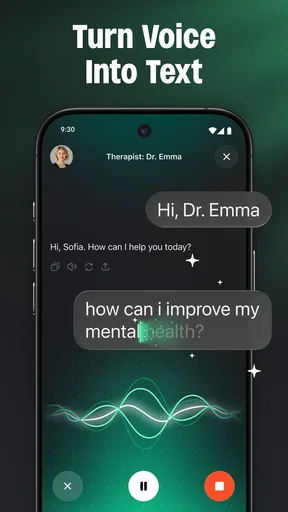
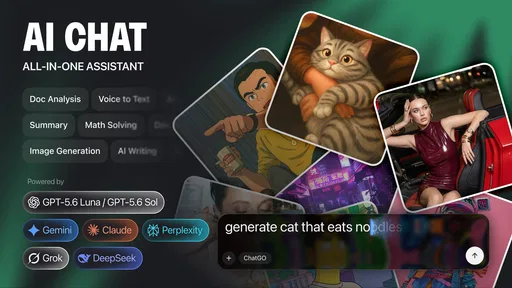
 Analysis by AppCompare
I get the most out of an AI assistant when I give it a small, clear job rather than expecting it to run my day. With ChatGO - AI Chat Assistant, that means asking a focused question, adding the details that matter, and then checking whether the answer is actually useful. It can be handy for writing, studying, image generation, and everyday tasks, but I treat its replies as a starting point—not a substitute for judgment.
A practical rhythm for everyday tasks
A good first step is to tell the assistant what you are trying to accomplish and who the result is for. “Help me write a message” leaves plenty of room for a bland answer; “Help me write a friendly note to my neighbor asking about a parcel” gives it a clearer direction. If the first response misses the tone, I would follow up with one specific adjustment, such as making it warmer or shorter, instead of starting over with a completely different request.
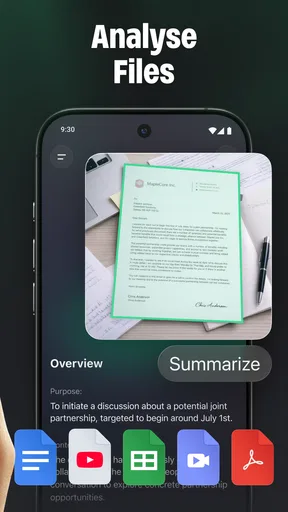
That approach also works for study sessions. I might ask for a difficult concept to be explained in plain language, then ask for a short example, and finally try to summarize it myself. The useful part is the sequence: each prompt gives the next one a purpose. I would still verify important facts against course materials, especially when the answer affects an assignment or an exam. An AI explanation can sound confident while leaving out a qualification that matters.
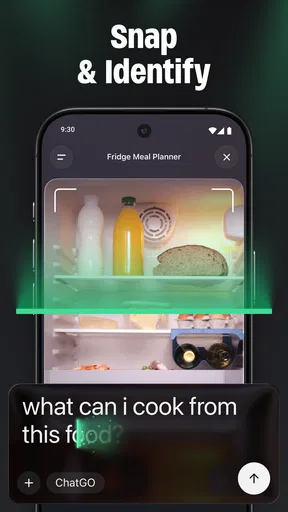
For image generation, I would begin with the intended use and the main visual elements rather than piling on decorative details. A prompt that identifies the subject, setting, and mood gives a more manageable starting point; I can then refine one element at a time. That keeps experimentation deliberate and makes it easier to notice what changed between attempts. If the result needs to meet exact brand, print, or professional requirements, a dedicated design tool may offer more control.
Settings and spending to consider
Before making ChatGO part of a daily routine, I would take a moment to inspect the choices presented in the app, particularly anything related to account use, saved conversations, and paid options. I would not put private work details, passwords, personal identifiers, or sensitive health information into a chat unless I had a clear reason and understood the relevant privacy terms. That is a sensible habit with any AI assistant, not a claim about a particular setting.
The app is free to install, while optional in-app purchases range from $6.99 to $69.99 per item. I would check what a purchase unlocks and whether it is a one-time item or another kind of charge before confirming anything. If you only need occasional help drafting a note or understanding a topic, try the free experience first and decide from actual use rather than paying on the assumption that every extra is necessary.
ChatGO is made by Wachanga, and its current version is 1.1.1. It is rated Teen and requires Android 7.0 or later. Those details make it easier to judge basic fit: it is not aimed at young children, and an older device that does not meet the system requirement will not be a suitable place to start. On the store, it has a 4.7 average from around 29,000 ratings and over 500,000 installs, which suggests substantial interest, though popularity alone cannot tell you whether its replies suit your needs.
Worth Reading Before You Choose

Baby Panda World Brings Quick Play to Modern Phones, but Its Game Library Feels Busy

ESPN’s Live Game View Makes Following Close Games Easier

QuizzLand Review: A Good Fit for Short Trivia Breaks, Not Every Player

Basketball Stars: Multiplayer Is Fast, but Can It Recover When Matches Go Wrong?

WEBTOON Turns Phone Updates Into a Better Reading Routine

Link to Windows Runs on Shared Habits, Not Social Feeds
Small habits that make prompts work harder
One useful habit is to separate the request from the constraints. For example, state the deliverable first—an outline, a revision, or a list of ideas—then add boundaries such as “keep the language simple” or “give me three options.” This makes it easier to judge the answer against what you asked for. If the result is still too broad, provide a concrete example of the style you want without sharing anything confidential.
I also find it helpful to ask for alternatives rather than treating the first suggestion as the only answer. For a daily task, I might request a quick version and a more considerate version, then choose and edit the one that sounds like me. For planning, I would ask it to group a messy list into themes, but I would keep the final schedule in a calendar or task app that I already trust. Chat is good for shaping information; a dedicated organizer is usually better for reliably tracking commitments.
Another practical trade-off is that a conversation can drift as the topic changes. Context can save repetition when follow-up questions stay connected, but it can also carry assumptions into a new request. When switching from one subject to another, I would explicitly say that I am starting a separate task and restate the facts that matter. If a response seems oddly anchored to an earlier topic, a clean new conversation is a straightforward reset.
Where a general assistant is—and is not—the right tool
Compared with a search engine, ChatGO is more comfortable for turning a question into a back-and-forth: you can ask for a simpler explanation or a different angle. Search is often the better choice when you need to find original sources, compare current details, or confirm a fact that may have changed. I would use the assistant to clarify what I should look for, then check trustworthy sources before relying on consequential information.
Compared with a dedicated writing or study app, a broad AI assistant may be more convenient when the task changes from drafting to brainstorming or explanation. That flexibility is useful, but it does not automatically provide the specialized editing controls, structured lessons, or reference material that a focused tool may offer. Likewise, image generation can help explore a visual idea, while a design program is a stronger choice when precise layout and repeatable production matter.
A realistic use might be a busy morning when I need to turn scattered notes into a polite message, get a quick explanation of a term for class, and brainstorm a simple image concept. I would handle each as a separate, bounded task, review the wording before sending it, verify the study point, and keep the final image work in the right tool if exact results matter. That is where a general assistant earns its place: not by replacing every app, but by reducing the friction of getting started.
Limits worth keeping in view
The main limitation of a broad conversational tool is that a fluent answer can still be vague, incomplete, or wrong. When I need precision, I ask a narrower question and check the result. For medical, legal, financial, or other high-stakes decisions, I would not treat an AI response as professional advice. The convenience is real, but the responsibility to verify does not disappear.
There is also a difference between asking for help with a task and handing the task over. ChatGO can help shape a draft or suggest a plan, but I still need to supply the context, make the choices, and follow through elsewhere. If what you want is dependable reminders, a detailed project board, rigorous citations, or finely controlled image editing, a purpose-built app may be the better fit.
Who will get the most from it
I would recommend trying ChatGO if you like a conversational way to get unstuck: students who want a plain-language explanation, people who need a first draft, or anyone who enjoys testing ideas before committing to one. It is less suitable if you expect every answer to be authoritative, want a dedicated system for managing your schedule, or are uncomfortable entering prompts into an AI service. For those users, search, specialist software, or an offline method may be a better match.
Ever found yourself needing a quick answer or some advice but didn’t want to wait around? Well, let me tell you, ChatGO - AI Chat Assistant might just be your new best friend. I’ve spent some time fiddling with this app, and I've got some thoughts to share.
Getting to Know ChatGO
Jumping right into it, ChatGO - AI Chat Assistant is like having a super smart buddy in your pocket. You know, the kind who always has the answers to your random questions or can help you brainstorm ideas. It's powered by an AI that feels almost human in its interactions—pretty neat, right?
Setting Up and First Impressions
Starting up ChatGO is a breeze. You don’t need to jump through hoops or fill in long forms. It’s all about simplicity. Once you download and install it, you’re pretty much good to go. I was impressed by how fast it booted up. No annoying lags or crashes. Just smooth sailing from the get-go.
The interface is clean and intuitive. You’re not bombarded with unnecessary buttons or clutter. The focus is on the chat, which makes sense, given it’s what the app is all about. I must say, the design team did a great job in keeping things straightforward.
Chatting with the AI
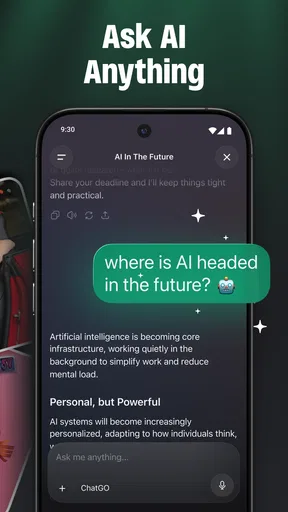
This is where the magic happens. You start a chat, and it’s like entering a different world. The AI is quick, responsive, and can handle a wide range of topics. From asking about the weather to more complex queries, it's got your back. I tested it with various questions, and it handled them like a champ. The responses were coherent and surprisingly engaging.
One of the standout features is its ability to remember context. So, if you’re talking about your favorite movies and then switch to discussing directors, it keeps up without missing a beat. That’s something that truly sets it apart from other assistants I’ve tried.
Features That Shine
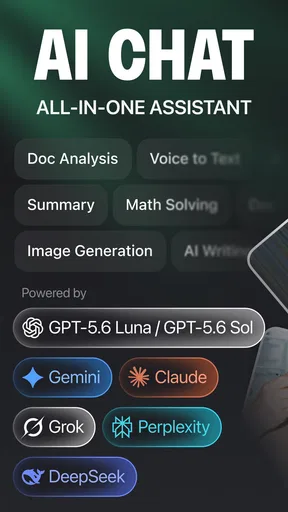
ChatGO isn’t just about answering questions. It’s packed with features that make it a versatile tool. Need help with your daily schedule? It can help with reminders and to-do lists. Feeling bored? It can suggest games or activities. It’s like a Swiss army knife for your phone.
Another cool feature is the language support. Whether you’re a polyglot or just want to practice a new language, ChatGO can assist with translations and even language learning tips. It’s like having a language tutor on call.
Where It Could Improve
Now, no app is perfect, and ChatGO is no exception. While it handles a lot of topics well, there are times when the responses feel a bit generic. It’s like it’s trying to play it safe and ends up not being as specific as one might like. Also, while the app is pretty fast, I did notice occasional lags when switching between heavy tasks.
On the privacy side of things, while it assures users of data protection, I still think transparency could be better. Users these days value knowing exactly how their data is used, and a little extra clarity wouldn’t hurt.
Why You Should Try ChatGO
So, why should you give ChatGO a shot? Well, if you’re someone who loves convenience and needs a reliable assistant that’s both smart and engaging, this app is worth checking out. It’s like having a conversation partner ready to help you tackle daily challenges or just chat for fun.
Overall, ChatGO - AI Chat Assistant is an impressive tool that combines simplicity with powerful features. Whether for work, study, or leisure, it’s a handy app to have in your digital toolkit. Don’t just take my word for it—give it a whirl and see how it fits into your routine!
Pros
- Intuitive and user-friendly interface.
- Supports multiple languages efficiently.
- Quick response times enhance usability.
- Customizable settings for personalized use.
- Seamless integration with other apps.
Cons
- Occasional connectivity issues reported.
- Limited features in the free version.
- Voice recognition can be inconsistent.
- Requires constant updates for best performance.
- Battery consumption is relatively high.
FAQs for ChatGO - AI Chat Assistant
What is ChatGO - AI Chat Assistant?
ChatGO - AI Chat Assistant is a versatile application designed to facilitate seamless communication through AI-powered chat capabilities. It can assist with a variety of tasks, from providing information to helping with scheduling and reminders. The app uses advanced algorithms to understand and respond to user queries effectively.
Is ChatGO compatible with both Android and iOS devices?
Yes, ChatGO is available for both Android and iOS platforms. Users can download it from Google Play Store for Android devices and the App Store for iOS devices. The app is optimized for various versions to ensure a smooth user experience across different devices.
What are the key features of ChatGO?
ChatGO offers a range of features including real-time chat, personalized recommendations, and task management. It also supports multiple languages, making it accessible to a global audience. Additionally, the app integrates with other services like email and calendars to enhance productivity.
How secure is my data with ChatGO?
ChatGO prioritizes user privacy and data security. It employs robust encryption protocols to protect your conversations and personal information. The app adheres to strict privacy policies and does not share data with third parties without user consent, ensuring a secure user experience.
Are there any in-app purchases or subscriptions required?
While ChatGO is free to download and offers basic functionalities at no cost, there are optional in-app purchases and subscription plans available. These premium options provide access to advanced features and customization, allowing users to enhance their experience according to their needs.


